This week, my team and I developed a realistic, interactive prototype of the program in the prototyping phase of the design sprint, concentrating on important user flows such as saving, budgeting, and earning rewards, which are all based on the storyboard. The prototype of a financial app for Gen Z should be realistic, using vibrant images, a fun tone, and interactive features like quizzes or challenges that mirror the behaviors and preferences of Gen Z. The objective is for us to produce a straightforward, testable version (typically 4–6 screens) that can be utilized for user testing the following day. It’s easily the most difficult part of the sprint process, but it’s also the most rewarding to make up for it!
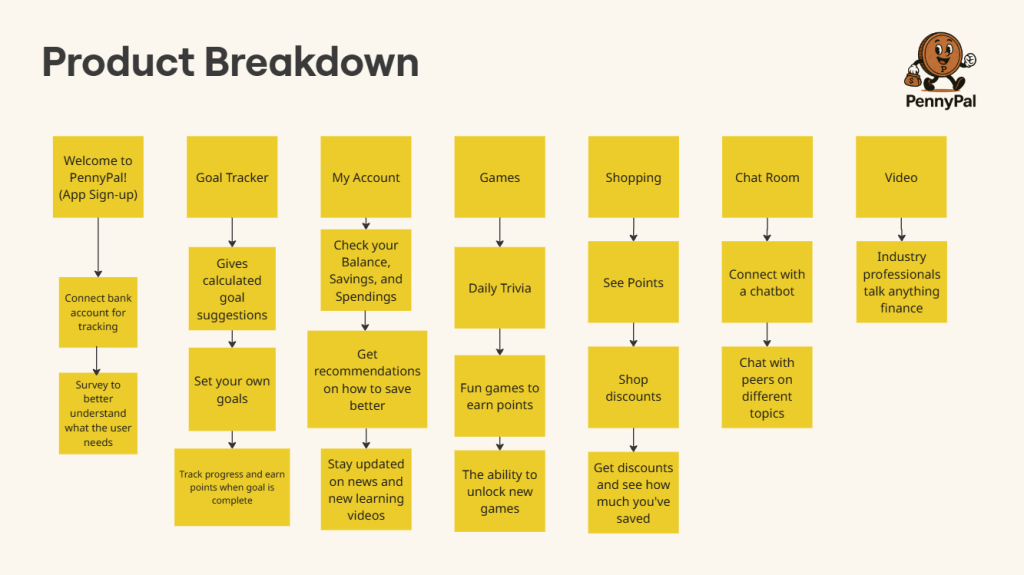
The Product Breakdown
We started with the product breakdown, where we took all of the different avenues that PennyPal offers to its users and create a mini timeline for each one to explain how they’d each be used. These avenues could be anything from the signup process, to the games and shopping, or the users account settings. For each avenue, we included a thorough explanation of the purpose they serve in the app and how they’ll benefit the target audience, which is Gen Z. For example, the video feature explanation is as follows: 15-60 second video format is perfect for short attention spans. Gen Z grew up with high-speed internet and instant gratification. This will satisfy that while providing education at the same time.
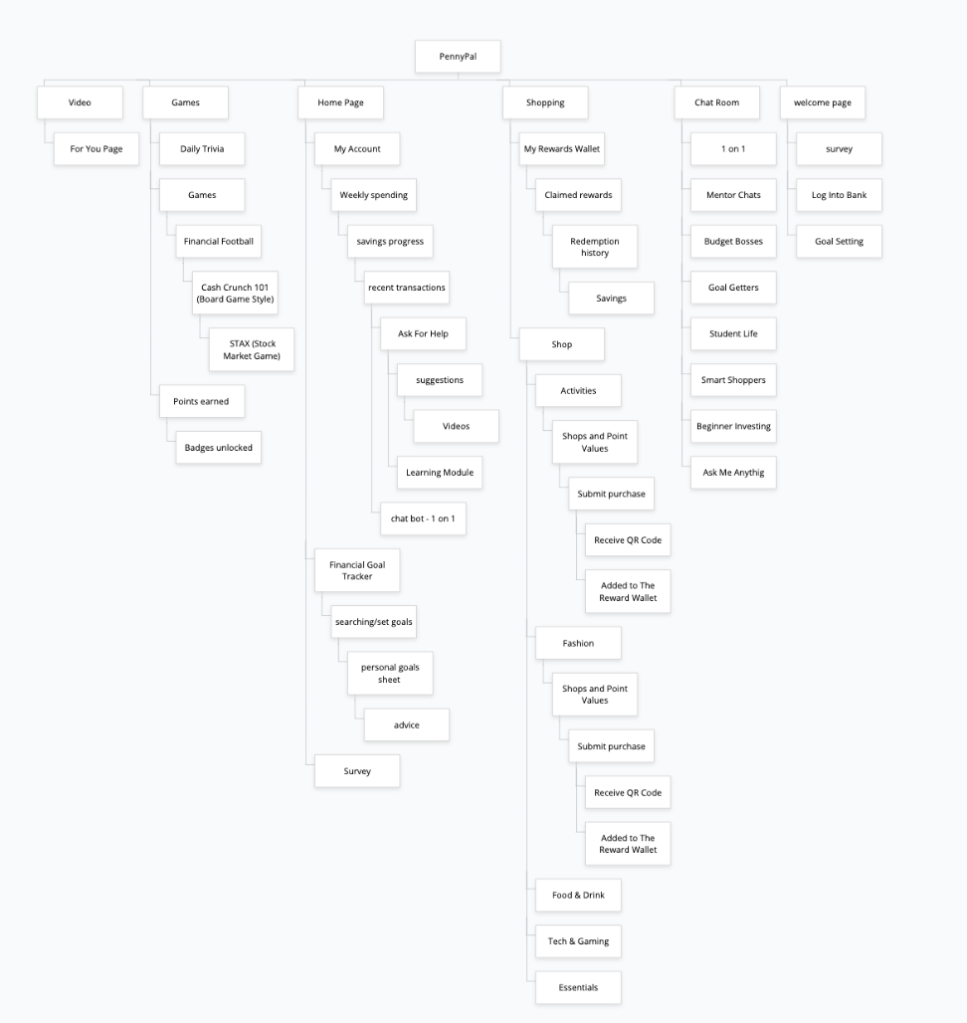
App Mapping, Wireframing, and Low/High Fidelity Prototyping
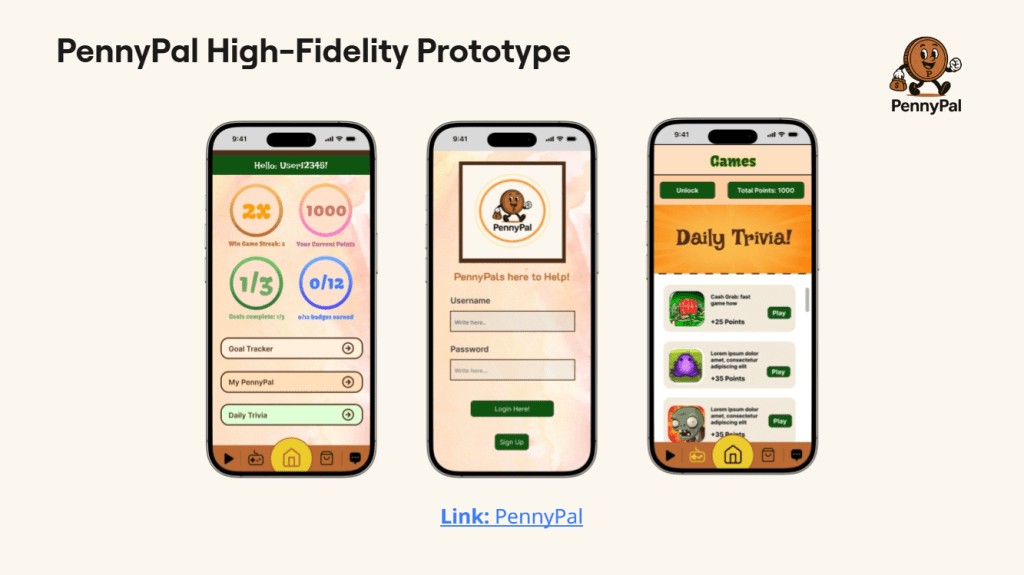
The next step in our prototyping process was to create an app map and the wireframing to go along with it! An app map is a visual representation of its architecture, showing the links between its elements, such as functions, classes, files, and services. It is frequently used to comprehend and evaluate the application’s architecture and behavior. The wireframe portion of this next step is when we take our previous sketches from each avenue of our prototype and showing what screen comes first, second, and last. One of them, for example, would go from the home page, the users account, and their goal tracker tab. A low fidelity and high fidelity prototype can then be created, with the former in particular being a rough, early version of a sprint teams product that is mainly used for testing ideas and gaining user feedback before the latter, the high fidelity prototype, is birthed. Our team is full of talented people who created the design for the high fidelity prototype to bring PennyPal to life!
User Testing
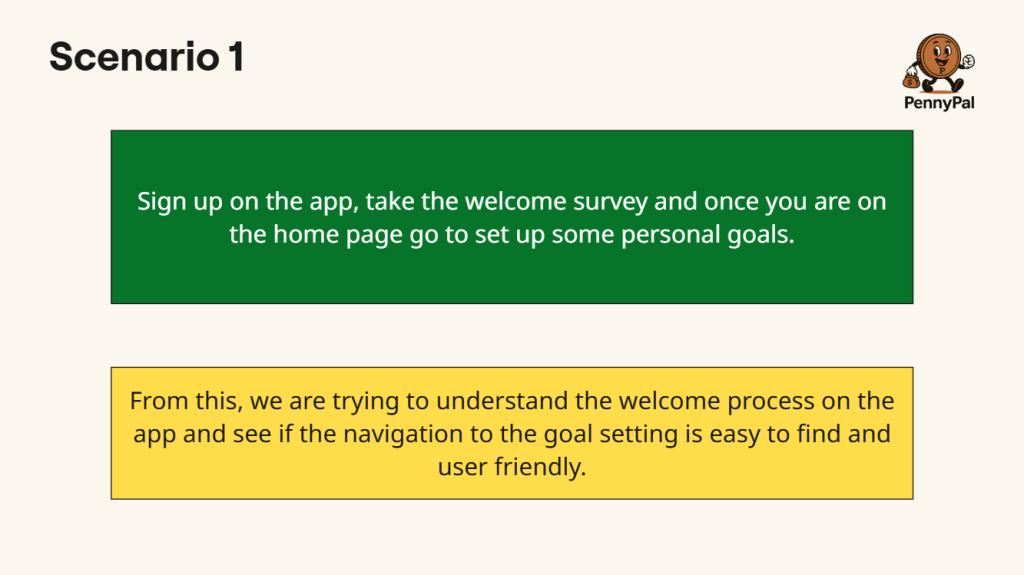
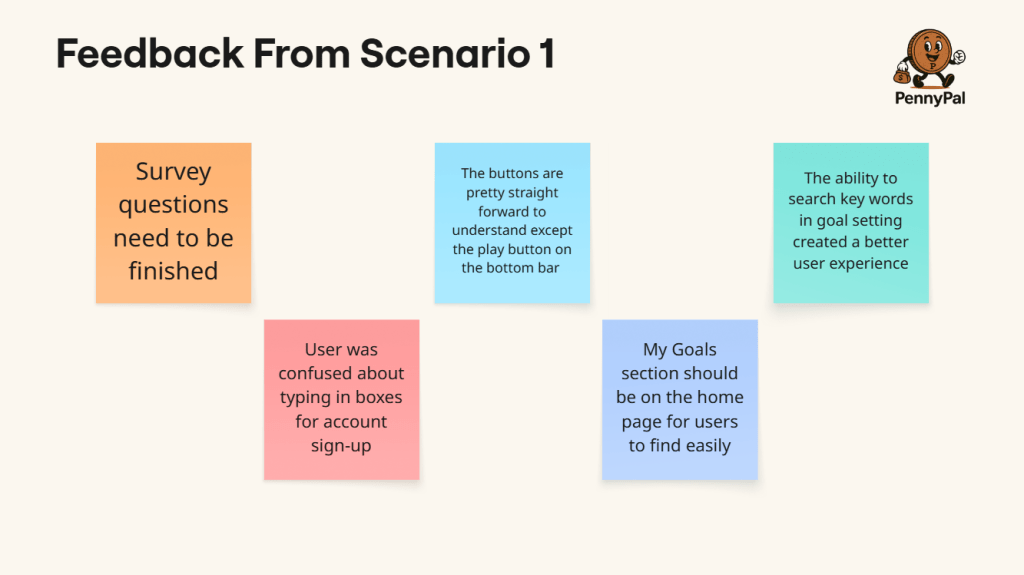
Prior to testing with real users, the User Testing Simulation is a trial run of your usability test. It helps find and resolve any problems with your prototype, test script, or configuration, making sure that the actual test runs without a hitch and provides valuable input. The sprint team creates a scenario, they identify the goal of the scenario, and proceed to gain user feedback to see what they can improve on. The scenario shown below is about when a new user opens the app for the first time and is beginning the sign-up process! The feedback works out any kinks and smooths out any bumps in the road to make the experience more user friendly, as the goal aims to do.
Now that all of the prototypes have been made, Day 3 is officially over! We’re now in Day 4’s User Testing phase, which – by judging from how hands-on Day 3 was – Day 4 will be even more busy and involved! This is a crucial stage of the Design Sprint with lots of goals to accomplish. To crush our targets and have Day 4 be a resounding success, we will have to partake in tasks like testing our hypothesis, collecting usable data, developing a risk mitigation plan. Happy sprinting!
 UX Journey
Leave a comment