UX Journey

Nicholas Pagonis

  • By Nicholas Pagonis


    Before You Scroll Past This

    You don’t need more content.
    You need better thinking.

    I just published a piece on Medium that explores how people actually read, process, and feel design — not in theory, but in practice. It’s about the quiet psychology behind attention, clarity, and why some messages land while others disappear.

    This article isn’t long.
    But it might change how you see your own work.

    If you’re building, designing, writing, or communicating — it’s most definitely right up your alley!


    1. LinkedIn

    Image
    Image
    Image

    Most communication fails for one simple reason:
    It talks at people instead of with them.

    I published a new Medium article exploring how people actually process messages, visuals, and ideas — and why clarity beats cleverness every time.

    If you work in communications, design, or branding, you’ll appreciate this one.

    Click the link in my bio to read it!

    #ProfessionalDevelopment #CommunicationStrategy #DesignThinking

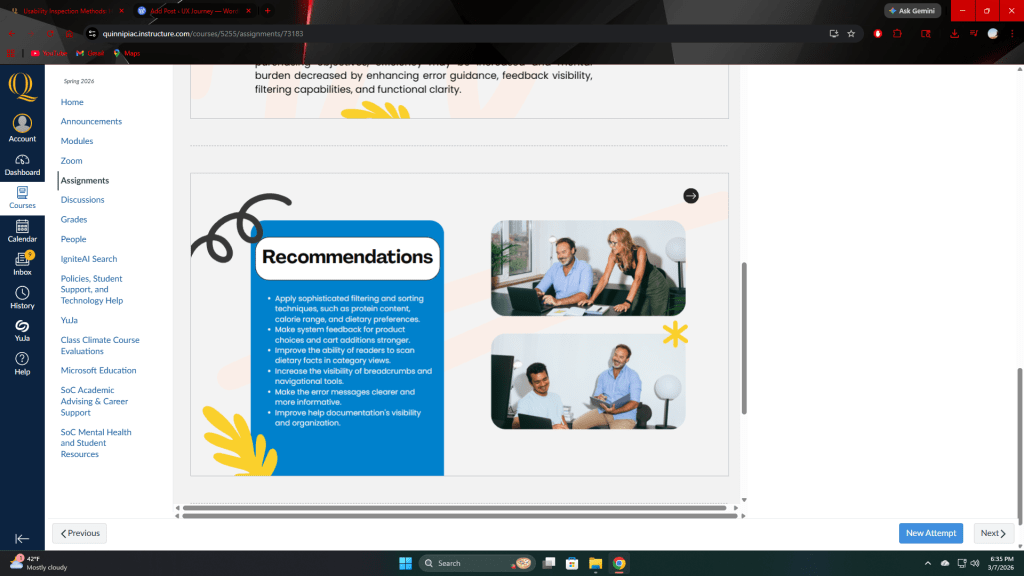
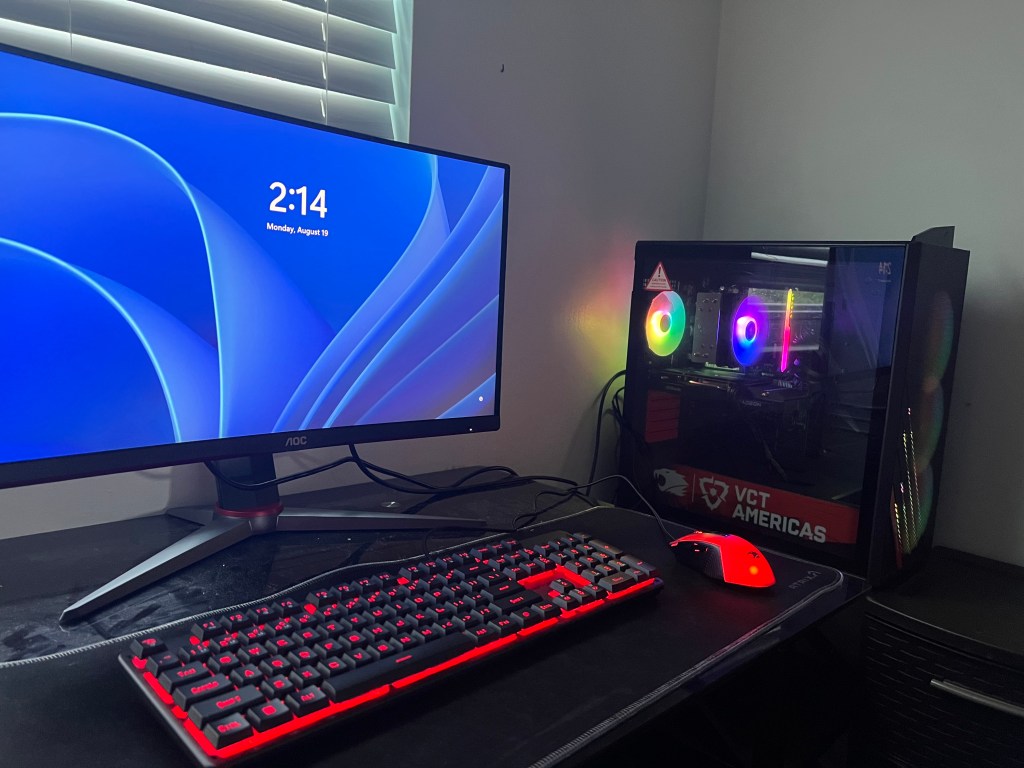
    I aimed to reach professionals, recruiters, hiring managers, thought leaders, and peers in communications/design with this LinkedIn post. LinkedIn rewards credibility and insight. The caption positions the article as professional value rather than casual reading. The image concept focuses on workspaces and thinking moments to visually match LinkedIn’s professional tone. An authority driven opening line with a light use of hashtags are also a huge plus.


    2. Facebook / Instagram

    Image
    Image
    Image

    You scroll past hundreds of messages a day. Only a few ever stick.

    I wrote about why — and how design, psychology, and perception shape what we actually notice and remember.

    If you’ve ever wondered why some ideas land and others don’t, then this article is for you.

    The full piece is on Medium, link in bio.

    For the Facebook/Instagram approach, I targeted a general creative audience — students, designers, casual readers, content consumers. These platforms favor emotion, relatability, and curiosity over formal expertise. The tone is more reflective and personal. I wanted a more artistic and less corporate look, as this will have a higher chance at stopping a user from scrolling. The abstract and moody visuals can capture and retain the readers focus, along with short paragraphs and no heavy hashtags.


    3. X (Twitter) / Threads

    Image
    Image
    Image

    Most content fails because it’s loud — not clear.

    I wrote about attention, design, and the psychology of why some messages stick.

    Short article. Big shift in perspective.

    Medium link in my bio!

    Catching the attention of the fast-scrolling thinkers, creatives, tech/design Twitter, and idea-driven communities is the way to go on x (Twitter) or Threads. These platforms favor minimalism, punch, and speed, so short, strong sentences work best. High-contrast visuals and quote-style graphics also work best too in regards to the pictures in my tweet. It’s no fluff and all fire with a tone that’s drenched in curiosity!


  • By Nicholas Pagonis

    Every day is made of tasks — endless, repeating, invisible. The work never stops, and neither does the world’s quiet beauty. Between the dishes, the emails, the errands, small joys wait for us: fleeting, ordinary, and completely life-saving. This is a story about noticing them, as well as about making the choice time and time again to noticing them despite the constant chores and responsibilities.

    The day starts the same way.

    The cluttered, hectic nature of our jobs quickly becomes suffocating. We struggle to handle the weight more and more with each passing day. It’s difficult to see the pretty parts of life when you’re surrounded with so much ugliness.

    The future is bright and clear.

    However, if we make more of an effort to observe the finer things that life has to offer regardless of our mood, we suddenly don’t feel like we can’t breathe. Vibrant colors pop out at us from multiple directions and the weather is calming, generously provided by mother nature.

    Joy, elbowing its way in.

    Even when we have our occasional bad and/or blah days, we get a glimpse of life’s beauty. Every storm will pass, and these are the world’s ways of reminding you of that fact.

    A flicker of warmth.

    On the happy, carefree days, we carry mountains of hope in our hearts and excitement for the future that lies ahead. Sometimes, less is more. We don’t always need exotic gifts or grand gestures to satisfy ourselves. Serotonin is all around you!

    The fruits of our labor.

    But of course, there’s nothing wrong with treating ourselves to finer, materialistic things in life every once in awhile! Our jobs may be boring and annoying to constantly work around, but they can provide the steady income needed to upgrade our ever growing and aging list of wants.

    Loved ones make it all worth it.

    Your friends, family, and significant others always make your journey worthwhile and something to look forward to! They make every new day an adventure, and showering them with gifts is a great way to make them feel appreciated and yourself satisfied!

    Pets are the hilarious icing on the cake.

    Our pets are always an added bonus, especially dogs! They’re funny, affectionate, and extremely loyal depending on the breed! Capturing these comical moments to look back on will never get old in the midst of our draining routines and cycles.

    Beauty through the darkness.

    Although friends, family, partners, and animals are great, sometimes you just need some alone time. Taking in the cool, crisp air as the city skyline shines bright could be exactly what you need to reset and recharge for the long days and road ahead.

    For the majority of us, each day begins in the same manner. The darkness is sliced by the alarm. Unread messages, dirty dishes in the sink, and the approaching commute are all on the to-do list. The task begins before we even leave the house. The errands, emails, and monotonous work that keep everything functioning but seldom get recognized are the kinds of tasks that occupy a life without ever seeming like a accomplishment. We live in these cycles for a large portion of our lives. The grocery line moves slowly, the laundry falls, and the keyboard clicks. The passage of hours is marked by a string of movements that are almost identical. We don’t take pictures of this aspect of our lives. It doesn’t seem extraordinary. It’s hardly discernible. However, the majority of our days occur here, in this constant stream of duty.

    However, if you pay attention, you can see something else: slight breaks in the pattern. A faint ray of morning sunlight shines over the kitchen floor. The cozy warmth of holding a cup in your palm. A neighbor waving from the other side of the street. Although these instances are fleeting and occasionally unintentional, they break you out of autopilot. They remind you that you are a person moving through a world that is constantly giving you little reasons to pause and consider, rather than just a machine performing tasks.

    The contrasts intensify as the day goes on. The stress of the job—the exhausted eyes, the congested environment, the deadlines—is directly next to the respite moments: a joke shared between coworkers, the wind releasing a cluster of leaves, the solace of recognizable footsteps bringing one home. They do not negate one another. They live together. They always have.

    These flashes of joy become apparent everywhere when you start paying attention. The everyday beauty that lasts regardless of how busy or worn out we may be—not the big events, not the milestones. A pet curling up at your feet. On the phone, a friend’s voice. The last bit of sunlight reaching across a space. These are not breaks from the monotony; they are a component of the same reality. They are what keeps you going through the grind. The job is still not done by the end of the day. Tomorrow, there will be more waiting. However, the little pleasures are still there, hidden between the chores, waiting to reappear. This photo essay examines that coexistence: the unrelenting tempo of daily work and the silent, frequently unnoticed events that give it purpose. The texture of a life spent in motion—work, joy, rest, repeat—rather than the spectacular highs or lows.

    We must not overlook the fact that even on the most mundane days, something beautiful and human is always trying to reach us. This is something that is easy to forget while recording these events. All we need to do is observe.

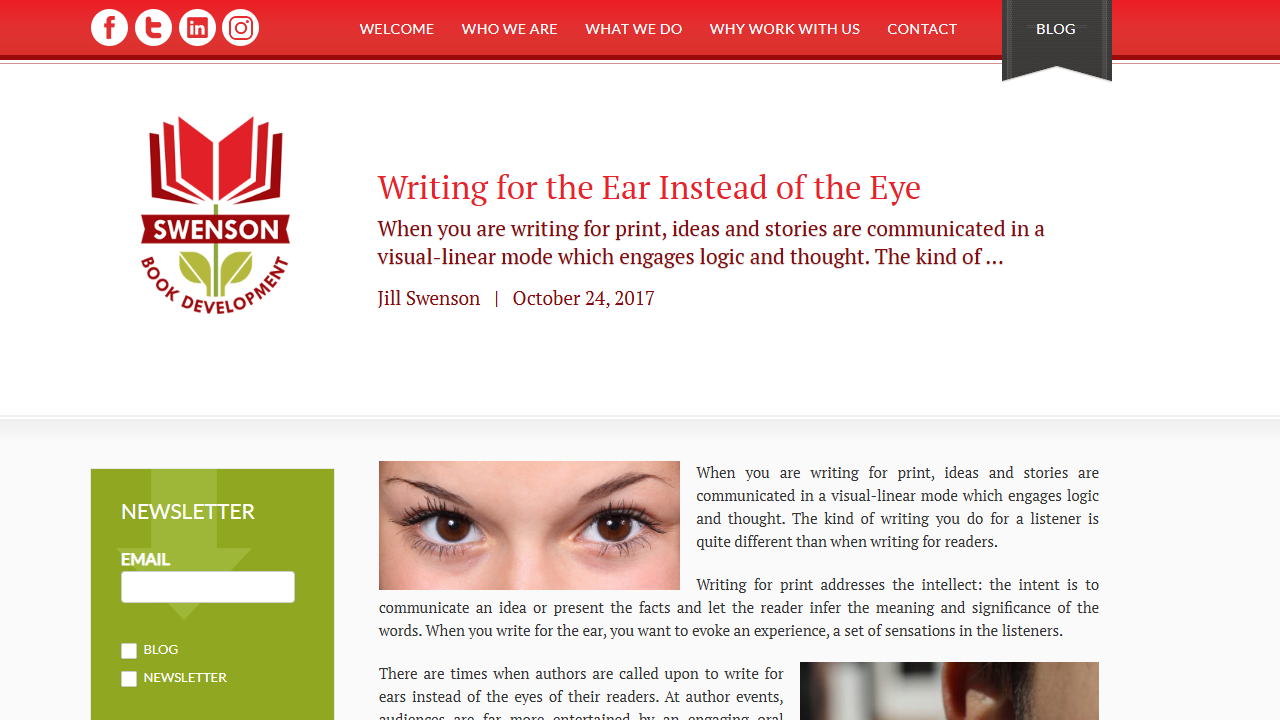
  • In her insightful essay, Jill Swenson highlights a crucial yet frequently overlooked difference in writing: the distinction between writing for readers and writing for listeners. Any writer who ever reads aloud, speaks into a microphone, or gives their work in person can benefit from her knowledge.

    The Core Distinction: Eye vs. Ear

    Swenson first outlines the distinction clearly. We appeal to the intellect when we write for print because it is logical, linear, and visual. The reader is able to stop, reread, and consider. However, the objective changes when we create material for an audience that will be able to hear our words.

    Our goal is to elicit experience, emotion, and feeling, not simply to communicate concepts. This difference is important. It affects our sentence construction, word selection, and overall message organization; it’s more than simply a stylistic adjustment.

    Writing for the Ear Instead of the Eye | Swenson Book Development

    Key Principles: Swenson’s ABCs

    Among her most significant practical recommendations is the use of subject-verb-object structures and the avoidance of overly complicated clauses. Repetition and alliteration would be another, since spoken repetition helps readers “lock in” meaning while redundancy is boring on the page. The last piece of sensible advice from Swenson is to refrain from going into too much specifics. When there are too many details, a listener may become confused. Unlike print, where details add richness, it can become noise in conversation, according to Swenson.

    Broader Implications: Beyond Author Events

    There are numerous situations when writing for the ear is essential, according to Swenson, including sermons, lectures, storytelling, podcasts, radio programs, and even PowerPoint presentations. However, the ramifications extend beyond the realm of leadership and commerce. By using Swenson’s concepts in their writing, presenters, thought leaders, and executives may make their oral communication more memorable and persuasive.

    In education, there are implications as well. Because their language will be more organic, educators or teachers who create lectures with the ear in mind will be able to maintain students’ attention for a longer period of time. Additionally, media has these implications. Podcasters, radio presenters, and storytellers gain a lot from this since their writing now focuses on the audience rather than just the words.

    Writing for the Ear, not the Eye - Story Rules

    Critical Reflection: Why Swenson’s Advice Is Especially Timely

    The ability to write for the ear is now more important than ever in a world where audio material is thriving, including live video, podcasts, audiobooks, and virtual speaking engagements. A great opportunity is missed by writers who only consider the printed page: the chance to influence how their message is received. Swenson’s guidance serves as a link between the traditional world of writing (books, print) and the vibrant world of oral performance. Her essay urges authors to be adaptable and versatile, reminding them that the most effective communicators are those who can express their ideas effectively, whether through the eye or the ear.

  • 3 Behavioral Economics Concepts Every Graphic Designer Should Understand

    Although design is frequently defined as the intersection of creativity and problem-solving, it is now also the intersection of psychology, economics, and human behavior. Understanding why consumers select, click, purchase, or abandon a product is as important as knowing what they require, since products now compete on usability, motivation, and emotional resonance as well as functionality.

    Behavioral economics comes into play here. Contrary to conventional economics, which posits that individuals act rationally, behavioral economics demonstrates that people are wonderfully, predictably irrational. We make use of shortcuts. We become overwhelmed. We put things off. Although we are driven by incentives, they are not always the ones you may think.

    This is a map, not a mistake, for designers. We examine below how behavioral economics influences better, more intuitive design and why it’s becoming necessary knowledge for anyone creating contemporary goods and experiences.

    Understanding Behavioral Economics: Deciphering Human Decision-Making -  Blogs | Digital Marketing Latest News, Tips, and Insights from Our Experts

    Cognitive Biases can be Understood to Make Design More User-Friendly

    “Meeting users where they are” is a common phrase used by designers. The location of this is revealed by behavioral economics. In order to make sense of complicated information, people employ mental shortcuts (heuristics). Examples of this include choice overload causing decision paralysis, anchoring affecting how people see price or value, loss aversion making people more aware of what they may lose than what they may gain, and present bias directing us toward immediate pleasure and away from long-term advantages.

    By comprehending these forces, designers can create flows that lessen cognitive burden, highlight the important information, and simplify interfaces. For instance, a checkout screen with fewer fields is not only cleaner, but it also helps to combat decision exhaustion and choice overload. Behavior-centered design is the result of human-centered design.

    Theory of Nudging Guides Users Without Compelling Them

    “Nudging,” which Thaler and Sunstein made famous, refers to creating settings that subtly lead individuals toward making wiser choices without restricting their autonomy. There are nudges everywhere in digital goods. Some examples include using timely reminders to prevent abandonment, highlighting “recommended” or “most popular” choices, providing progress indicators to encourage completion, or selecting the proper default option (e.g., opting into email receipts).

    A successful nudge respects the user’s autonomy rather than attempting to influence them. The design of a choice environment, on the other hand, acknowledges that it may either help or impede a user’s objectives. Nudges, when done ethically, can lower friction, foster good behaviors, or boost involvement in a way that feels organic rather than forceful.

    Human decision making concept between logics vs emotions on a seesaw,  businessman trying to balance feeling and thinking 42680917 Vector Art at  Vecteezy

    Behavioral Design Fosters Motivation and Encourages Action.

    One of the biggest challenges is motivating users, regardless of whether you’re developing a fitness app, a budgeting tool, or a learning platform. Behavioral economics demonstrates the mechanisms behind motivation—and its fragility. By dividing goals into smaller activities (reducing overwhelm), offering prompt feedback to satisfy the brain’s reward circuits, employing commitment devices to assist users in completing tasks, and utilizing social proof to alleviate uncertainty, designers can increase motivation.

    Gamification is frequently misinterpreted as the addition of points and badges. In fact, it is a behavioral technique that transforms advancement into something that is apparent, meaningful, and emotionally fulfilling.

    How people make decisions: Tools, theories, and key concepts

    Conclusion: Behavioral Economics is Now an Essential Design Talent.

    Design is no longer simply about creating aesthetically pleasing or useful objects. It’s about influencing behavior, recognizing the limitations of humans, and designing products that are consistent with people’s genuine thoughts and actions. Designers may utilize behavioral economics tools to create experiences that are intuitive, enjoyable, and supportive of improved decision-making by minimizing friction and maximizing engagement.

    By accepting behavioral insights, designers can produce solutions that are truly helpful and intelligent, rather than ones that go against human nature.
    Behavioral economics is becoming a design imperative in a world of limitless options and limited attention.

  • The emotional impact of design: How aesthetics influence our feelings

    The world we live in is experience-driven. The majority of items are now dependable, quick, and available; they no longer compete only on functionality. Not only what a company produces, but also how it makes us feel, distinguishes it from its competitors in the modern world. The essence of the experience economy, in which value is generated through meaning, emotional resonance, and the quality of the connection, rather than simply utility, is this change. And design lies at the heart of this change.

    From Products to Experiences

    In the past, design was thought of as ornamentation, a decorative coating applied after engineering. However, as the market became saturated with functional equivalence (consider that almost every phone now captures nice images, and that the performance of almost every sneaker is acceptable), design shifted from “how it looks” to how it fits into a person’s life, how it feels, and how it works.

    Design influences the experience economy in the following ways:

    • Initial reactions
    • Simplicity of use
    • The brand’s identity
    • Emotional atmosphere
    • A feeling of belonging or self-expression

    Design is now a system of meaning rather than simply a surface.

    The emotional impact of design: How aesthetics influence our feelings

    Emotion: The New Value Currency

    People purchase emotions, such as confidence, comfort, status, happiness, familiarity, etc., rather than goods. The medium through which those feelings are expressed is design. For instance, the soft “click” of a high-end laptop keyboard indicates quality, the gentle curve of a chair encourages relaxation, and the simple, serene design of an app minimizes distractions. The orchestration of these events is the work of design. It transforms use into experience.

    The human brain is designed to react emotionally rather than logically. According to neuroscience, emotions have a stronger and quicker impact on decision-making than logic. Therefore, when a design elicits positive emotional signals—such as joy, simplicity, anticipation, and trust—it implants the product in the mind. This is how brand loyalty is created, which is why people line up for product releases overnight, why a beloved brand feels personal, and why switching to an unfamiliar interface feels uncomfortable—even if it is “better.”

    Modern businesses realize that experience is the outcome. Apple sells elegance, seamlessness, and creative empowerment—not simply devices. Nike’s products are not simply footwear; they also promote identity, ambition, and individual change. Airbnb offers narrative and a sense of belonging in addition to lodging. In every instance, design is the means of conveying the emotion.

    Emotional Contagion starts from us!

    Design as Strategic Value

    Design is strategy, not decoration, in the experience economy. It forges emotional ties rather than just beautiful pictures. Even when features are similar, design makes a difference. A well-designed product tells a story: who it’s for, what it represents, and how it should make someone feel. The user’s identity is now tied to this story.

    The goal of design is not just to produce attractive items; it’s also to give them significance. The most successful products in the evolving experience economy will be those that comprehend human emotion, turn that knowledge into physical form and interaction, and foster not just utility but also connection. Simply put, design is the process through which products become experiences, and experiences become memories. People also revisit, discuss, and advance their memories.

  • Written, created, and designed by Nicholas Pagonis, without the use of AI

    Here’s a breakdown of the meaning and significance of the article Gary Vaynerchuk published titled “Content is King, But Context is God.”

    The article starts by acknowledging that in today’s digital world, brands and individuals are essentially media companies: producing and distributing content to build relationships, provide value and ultimately drive sales. But context matters more — The big point: content alone is not enough. You must deliver it in the right context for it to be effective. He uses the phrase: “Content is king, but context is god.”

    He gives three practical guidelines: First, respect the platform & audience. For example, understand what the audience is doing on a given platform and tailor your content accordingly (he talks about how a 40-year­-old woman might behave differently on Facebook vs Pinterest). Second, don’t interrupt the experience. Meaning, if you deliver content that doesn’t fit the flow of the platform or annoys the user, you lose the chance to build a relationship (he gives the example of an intrusive mobile ad by Acura). Third, be consistent and self‐aware. Every piece of content builds your brand story. Your brand’s “north star” or purpose should guide content creation so that context aligns over time.

    Without proper context (platform, audience mindset, brand narrative), even great content can fail to connect. Context enhances content’s reach, impact and authenticity. With the explosion of platforms (social media, mobile apps, streaming, etc.), the environment in which content is consumed is more fragmented than ever. This means simply “making a good piece of content” isn’t enough — you must consider where, how, and when it’s consumed. The article highlights that shift. It reframes content strategy from just “produce more content” to “produce content that fits the environment and purpose”. This is critical for brands trying to stand out and not just add to the noise.

    Since users’ attention is scarce, delivering content without regard to context risks being ignored, or worse, being an annoyance. The article’s example (interruptive ad) shows that mishandling context can harm both perception and engagement. Vaynerchuk’s point speaks to the idea that anyone can be a “media company” now (brands, individuals). But success depends on mastering not just content creation but also distribution/contextualization. The three tips provide a practical framework. It’s not just a theoretical claim; the article gives actionable practices, which makes it useful beyond just inspiration.

    At a deeper level, I believe Vaynerchuk is telling us that content without intention or fit is wasted. In a world saturated with messages, the ones that succeed are those that feel right in the moment and place of consumption.

    “Respect the platform & audience” means: don’t treat all platforms the same; adapt.

    “Don’t interrupt the experience” means: users are on a journey; if you force a message in the wrong moment you lose trust.

    “Be consistent and self-aware” means: all content should point back to a larger purpose or identity; otherwise you’ll confuse your audience or dilute your brand.

    So the article is really about alignment — aligning content with context (platform, audience, moment), aligning content with brand, and aligning content with the user’s mindset.

  • AI GENERATED

    The essay in a nutshell

    In January 1996, Bill Gates wrote an essay titled “Content Is King”, in which he argued that on the Internet, content—not the infrastructure itself—would become the primary business driver.

    He highlighted a few key ideas:

    The Internet allows anyone with a PC and modem to publish content globally at very low marginal

    The definition of “content” is broad: software, entertainment, information, communities.

    Traditional print, magazine, and broadcast media would need to rethink how they adapt online—they can’t simply move print-editions to the web without adding interactivity and depth.

    Though the revenue models were shaky then (subscriptions, advertising), the long-term opportunity for monetizing content in new ways was real.

    Why this essay still matters

    1. Visionary in hindsight

    At the time—mid-1990s—the Internet was early stage. Gates’s point that “content is where I expect much of the real money will be made” is striking given how dominant content (streaming services, social media, user-generated platforms) has become.

    In retrospect, his insight foreshadowed the shift from infrastructure (dial-up, ISPs) to experiences (apps, communities, media).

    1. Broadening “content”

    Gates didn’t restrict content to articles or entertainment. He included software, games, online communities. That helps explain how many business models we now see—platforms built on software, services, interactive participation—not just passive media.

    1. Democratization of publishing

    One of the powerful lines: “Anyone with a PC and a modem can publish whatever content they can create.”

    This presaged the creator economy, user-generated content, blogs, YouTube, podcasts. The barrier to entry fell, shifting power from few large media houses to many individual creators.

    1. Monetisation remains a challenge

    Even back in 1996 Gates was cautious: subscriptions barely worked, advertising on the web was nascent.

    This reminds us: even when the opportunity is clear, execution (monetisation, scale, engagement) is non-trivial. Many content ventures still struggle.

    1. Interactivity matters

    Gates pointed out that print content just transplanted online wouldn’t cut it: users expect depth, interactivity, multi-media.

    That’s why successful content now engages users with comments, sharing, video/audio, live interaction—not just static pages.

    Implications for today

    For businesses: If you run a company with an online presence, you should think of your website not just as a brochure, but as a content ecosystem. Quality content drives trust, retention, discoverability.

    For creators: The idea that “content is king” offers encouragement: focus on value, authenticity, engagement. The platform infrastructure will continue to evolve, but the core remains the content you deliver.

    For marketers: Content marketing isn’t new—it’s rooted in this early vision. The key remains: deliver something of value, make it interactive, build community, and monetise thoughtfully (ads, subscriptions, sponsorships, services).

    For technologists/platforms: The infrastructure is necessary but not sufficient. The winners often build around content ecosystems: think streaming platforms, social networks, gaming hubs. Infrastructure enables, but content keeps people engaged and coming back.

    A few questions to ponder

    In a world saturated with content, what makes your content stand out? How are you adding interactivity, value, uniqueness?

    How are you structuring monetisation? Is it purely ad-based? Is there a subscription or membership element?

    How are you building community around your content, rather than just publishing alone?

    Is your content aligned with your broader purpose/brand? Gates pointed out that content is important—but it must serve an audience with intent and value.

    Final thoughts

    Bill Gates’s “Content Is King” essay may have been written in an early era of the Internet, but its core message remains relevant: in the digital age, what you deliver—information, entertainment, software, experiences—carries the long-term value.
    As infrastructure and platforms become ever more powerful and accessible, the differentiator remains: great content, well-delivered, that engages and provides value to people.
    In short: content isn’t just king—it’s the kingdom.

  • How To Define and Target a Webinar Audience | Hubilo

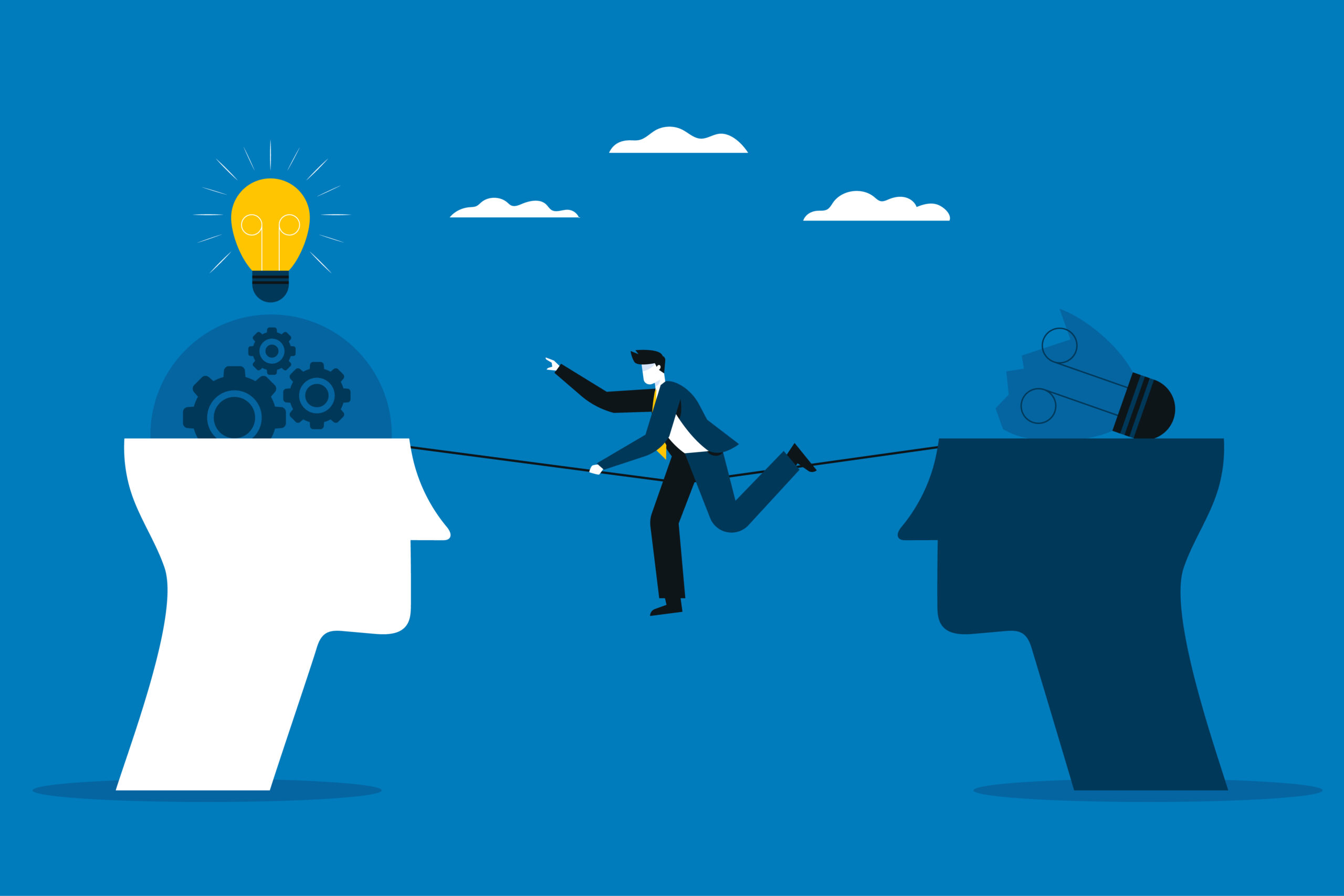
    The apparent contradiction between “don’t lose the reader to distraction” and “write for yourself, not for the reader” is more of a tension that you are being asked to maintain than a rational inconsistency. I break down the two impulses here, explain how they function at various levels and phases, and offer useful advice for managing them so that your work remains honest and successful.

    The reader must not be diverted. This is a tactical, craft-level guideline. It concerns the economics of attention, which includes a clear structure, pacing, hooks, signals, and the elimination of friction (such as awkward language, irrelevant digressions, and perplexing organization). Its goal is to communicate: to make sure the concepts get across, the reader is kept interested, and there are no barriers to understanding. When you look at it this way, one cares about the reader’s experience of the text, and the other cares about the author’s motivation for writing it.

    What is a Target Audience? | Directive

    When writing, you frequently write for yourself: follow your curiosity, note your findings, and allow strange connections to occur. During revision, you write for the reader by pruning, reordering, clarifying, and adding signposts. The first one makes stuff, while the second one shapes it into something that speaks. “Write for yourself” maintains your unique perspective, preventing readers from becoming bored by generic writing. “Don’t lose the reader” guarantees that uniqueness is packaged in a way that others can receive it. Craft without authenticity may be forgotten; authenticity without craft may be unintelligible. Writing for oneself can include writing for one’s inner reader, which is the part of oneself that recognizes nuances and omissions. The internal reader’s shorthand is converted by revision into the language of the external reader, who does not have that intimate understanding.

    Avoid “write for yourself” when it turns into an excuse by doing the following. Force yourself to express the notion in a single statement after writing a creative draft. You should likely provide readers with additional clarification if you are unable to. Reading aloud is another option, where you can hear the reader’s potential stumbling blocks. Also helpful is using a new reader as a gauge. Make sure to pose a specific question, such as “Where were you lost?”

    However, if “don’t lose the reader” becomes pandering, here is how to remedy it. Ensure that there is at least one obstinate, unique feature that you won’t get rid of. It maintains a unique viewpoint. In addition, make reader-focused changes that improve your voice (clarify imagery, tighten structure) rather than change it. The two pieces of advice are complementary: use “write for yourself” to produce honest, interesting material; use “don’t lose the reader” as the revision discipline that shapes that material into writing others can and will read. Hold both at once — protect your voice, then refine how it reaches people.

    8 Dos & Don'ts of Search Audiences
  • A leap into the unknown: how 'design fiction' is shaping our future | Neste

    The innovative and speculative design methodology known as Design Fiction (sometimes called Design for the Future) employs narrative, prototyping, and visual artefacts to investigate potential, realistic, or thought-provoking futures. Futurist Bruce Sterling invented and popularized it, and designers like Julian Bleecker have since refined it. Its focus is on utilizing design to think, rather than foreseeing the future. to question assumptions, consider alternatives, and initiate conversation regarding it.

    Design Fiction, Design spéculatif : Comment transformer la créativité en un  avantage concurrentiel

    The fundamental tenet of Design Fiction is hypothesis above solution. Instead of addressing current issues, design fiction envisions “what if…” situations, looking at technologies, systems, and cultures that may exist. The second fundamental idea is that narrative may be used as a tool. Designers create fictitious worlds or stories, such as movies, posters, mockups, etc. prototypes, interfaces) to give those futures a sense of reality and tangibility. The third and last fundamental tenet is critical reflection. It fosters discussion rather than “is.” not “is this possible?” but rather “what would it mean if it did?” or “should this happen?”

    Design Fiction: A Method for Exploring Ways Forward and for Building the  Future? - Futuribles

    The believability, relatability, and emotional impact of speculative futures depend heavily on visual design. Visual communication, such as concept art, UI mockups, product renders, film props, and posters, is frequently used in design fiction to give ideas shape. As an illustration, a fictitious smartphone interface for an AI-run government helps viewers consider the moral and social ramifications of monitoring. Additionally, effective visual design contributes to the “diegetic believability” of the fiction, making it seem realistic enough to hold disbelief. How people interact with speculative artifacts depends on their appearance and sensation. In addition, designers employ visual storytelling to spark ideas rather than to promote. News pieces, product advertisements, museum displays, posters, zines, and interfaces may all replicate imagined futures.

  • By Nicholas Pagonis

    The following images are from the Call of Duty: Black Ops 3 Zombies map, Der Eisendrache. It tells the story of the Wolf King who once led a mighty army and spread prosperity throughout his land and to his people. There’s zero words contained in his paintings, yet they all speak volumes of what went down on these once royal grounds. From the vast color pallet to the cohesive narrative from one painting to the next, it’s a tale chock full of meaning and substance.

    Great King Prepares For Battle… Mans Best Friend At His Side. With the way the king and his wolves are posed, this painting appears to be a self portrait. It’s almost as if he knew they would be going down fighting, like he wanted his next of kin to remember him as a valiant, steadfast, and courageous leader. The light shining onto the king and his wolves gives the viewer a glimmer of hope as to the outcome of their upcoming war. The kings armor and sword are made of the finest steel ever forged, the hounds look healthy and unwaveringly loyal, and the insignia on the kings shield glows with an unmistakably majestic aura that will prove to be everlasting throughout the story.

    When Armies Clash… The king, his wolves, and his comrades claw and scratch their way through the battlefield to protect their kingdom. The arrow-ridden grounds are scattered with smoke and bodies of allies and enemies alike. The bright colors contained in the sky and the yellowish hue of the painting could imply that the tides have been turning in the kings favor. One of his wolf companions scours the terrain, for it is his duty to be a vicious bodyguard. His noble steed is alive and well, his white hair being the only pure, good thing in the painting. The king himself proudly waves his royal insignia up high, hopefully being able to secure the victory for himself and his people.

    A War With Hell. This is where our story takes a much darker turn. Fire and brimstone surround the kings castle, engulfing any and all land in the area. The sky is lit up furiously with vibrant red and orange strokes, and the kings sword and shield are stranded amidst the rubble and destruction. But the real attraction of this piece is the giant tentacle monster emerging from the darkness of the clouds. It sends irate lightning bolts crackling through the atmosphere and flashes it’s evil purple energy around it. It appears that whatever it was that the king was up against was far out of his depth. It clearly wiped the floor with him and his army, a stark contrast to the previous two paintings.

    Only One Outcome. After all the carnage and chaos, the war is over. And unfortunately for our Wolf King, he has succumbed to his injuries, dying beside his distraught wife and royal insignia. The painting is very dark and indicates that the king died in a forest. It’s devastating seeing the arrows in his shoulder, his body slumped over, his wife crying hysterically, and his wolves nowhere to be found. Then the thought creeps in suddenly, that perhaps the wolves didn’t make it either. As we’ll see in the rest of the pictures, that is most definitely the case…

    Reunited At Last. Many eons later, four travelers discover the Wolf Kings castle and put the pieces back together of these defiled grounds. It seems that one of the wolves’ remains are scattered throughout the Wolf Kings land, and it’s vital that the travelers reunite it’s skull with it’s body. Perhaps the wolf cannot be put to rest until it fulfills it’s mission and duty to it’s king, judging from the blue aura around the skull.

    A Haunting Mission. The travelers end up finding the skull of one of the kings wolves, and it’s spirit awakens. It travels all around the castle, sniffing the ground and digging up objects of some kind. The blue and black smoke radiating off the wolf along with the paw prints leave a ghastly trail behind. The wolf perfectly displays what real loyalty looks like: Looking out for your closest allies even from beyond the grave. We’ll finally get to see the ending of this tragic tale and the wolf’s plan revealed!

    Finally Laid To Rest. As it turns out, the wolf was gathering the bones of it’s master, it’s partner in crime, it’s best friend. Throughout the centuries of disrespect of the kings castle and land from one generation to the next, his bones were lodged all around the area in disarray. The wolf was trying to give it’s king a true, proper burial, and it succeeded. With the help of the four travelers, the king is able to bestow the power of his wolves’ spirits into a mighty bow and arrow. Fitting for a king and his hounds that charged straight into the heat of battle to protect their sacred kingdom!