Introduction
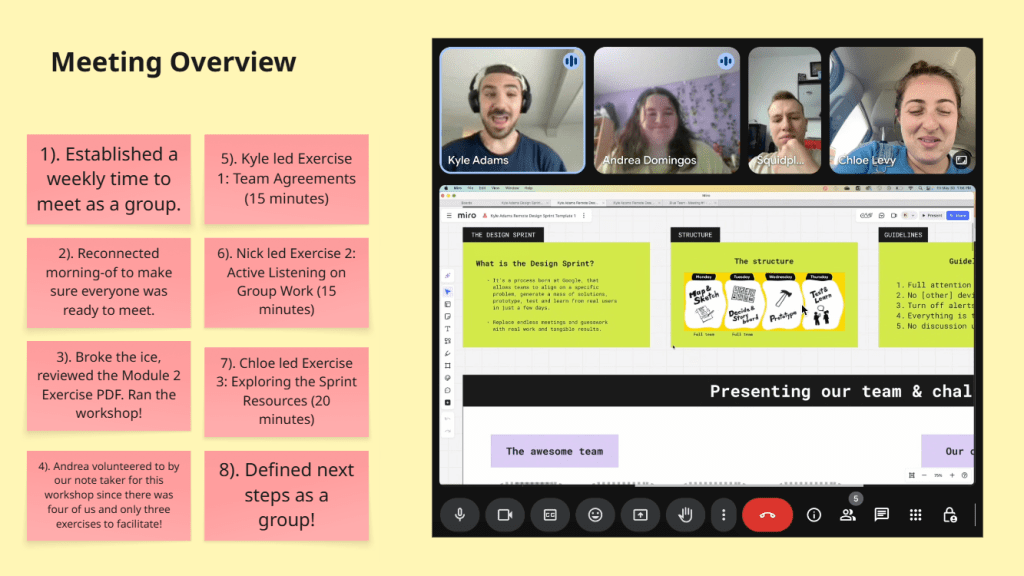
This Saturday concludes the end of my first official sprint, and I’m exiting the experience all the more enlightened and eager for the future! I obviously couldn’t have done it without my talented classmates by my side, so allow me to introduce them and break down our procedures! My team consisted of Chloe, Kyle, Andrea, Dylan, and myself (Nick). We would split up the responsibilities of our sprint process every week to shake things up and give everyone a fair, equal amount of work. The whole process took 7 weeks, beginning at the end of May and concluding at the start of July. We would meet once per week (outside of our weekly class meeting) on Fridays from 1PM to 2:30PM. We set out to create a finance app for young adults to help them manage, build, and more effectively save their finances and give them the tools to learn about finance in general. And thus, PennyPal was born!
PennyPal combines education and amusement to make learning about money enjoyable, social, and rewarding, making it a financial literacy program created especially for Gen Z. The software helps with budgeting, saving, making wise purchases, and comprehending the overall reasons behind our actions. A significant incentive for users to return is PennyPal’s ability to allow them to accumulate points that can be redeemed for actual discounts in the real world. In addition to its chat rooms, PennyPal fosters a peer-led community by providing locations where users can interact, exchange financial advice, and share objectives in a supportive manner. PennyPal is all about managing your finances while having fun. A person categorized in Generation Z (Ages 13-28) should use the educational smartphone app PennyPal to teach his/herself the ins-and-outs of financial literacy, as well as formulate a long-term budgeting, saving, and/or investing plan.
Sprint Overview
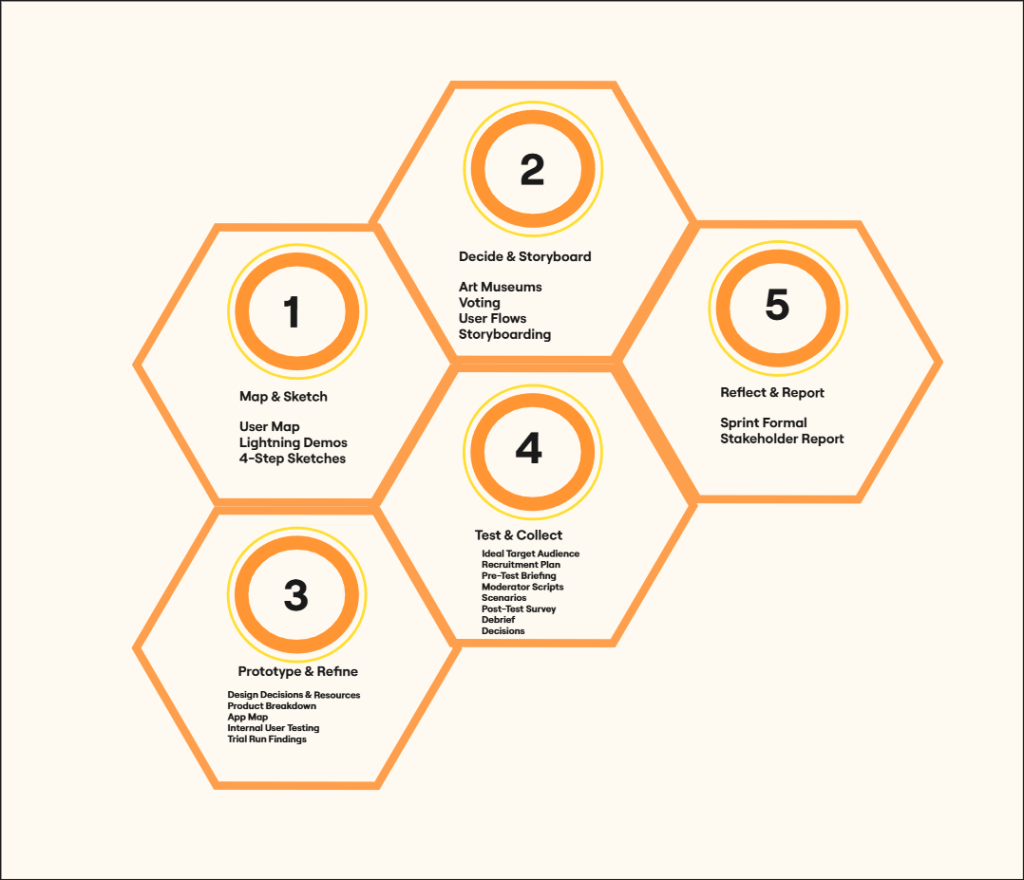
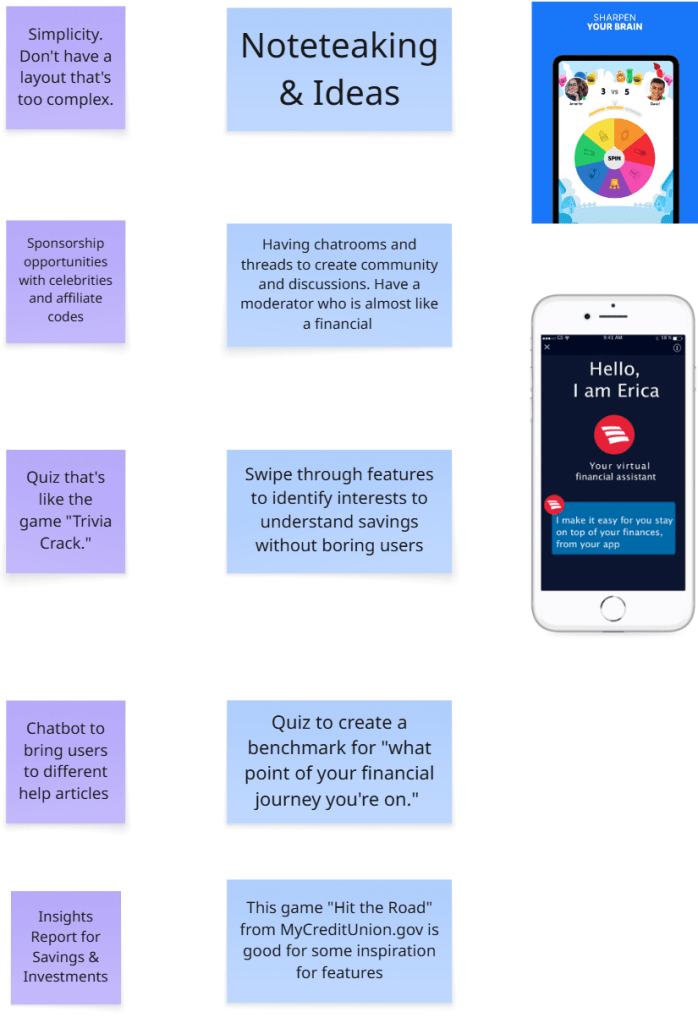
Phase 1: Team Blue began the sprint process to build a successful finance app prototype by researching other mobile apps to draw inspiration from. I personally chose to follow the example set by Discord, as I felt it’s chat rooms could be useful for connecting with other users and allows for 1-on-1 communication with a bot for finance advice. My other team members came up with things like bar graphs for measuring goal progress, a shop for users to redeem real-life rewards, and video feeds for learning new topics. Some finance apps that we looked to were Credit Karma and Fetch. We placed all of our sketches into a shared Miro board and left sticky notes on them to share what we liked about each one.
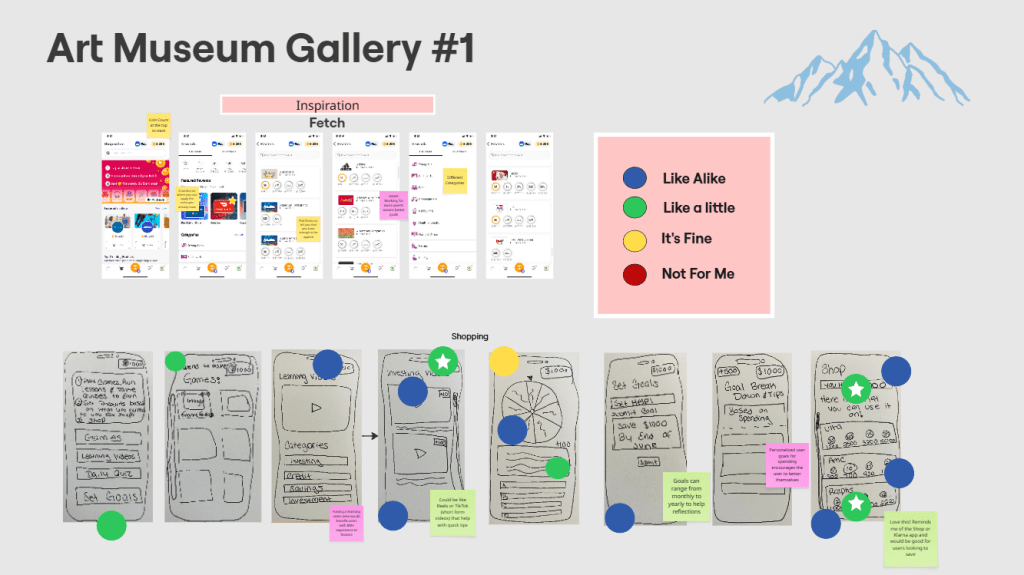
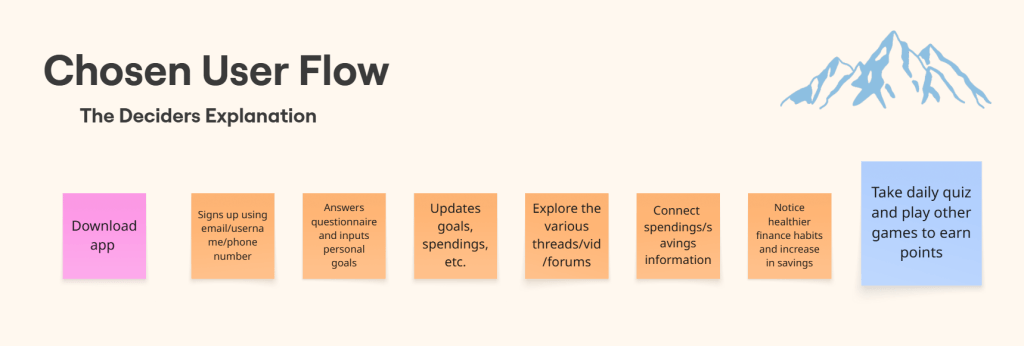
Phase 2: Once the second phase kicked off, we commenced the voting practices that are commonplace in the design sprint process. We used Heat Mapping to anonymously decide which were the best sketches and which were the worst ones. Blue dots signify sketches and ideas that we really like for the finance app, and red dots represent the opposite. We narrowed down the options even further afterwards by participating in Straw Pole voting, placing a green/white star dot on the sketches that are guaranteed a spot in the prototype. After gaining a better focus on what features our app will eventually have, we crafted our own user flows and voted on what the best one is out of them all as well. It’s essentially a line of six post-it notes that outline the most logical path that a user would take when using the app. For example, it would start with the user signing up using their email and/or phone number, that leads into taking the intro survey to better gauge the users financial interests and goals.
Phase 3: Phase 3 involves developing a realistic prototype of the chosen solution. While concentrating on the essential interactions and components of the user interface, the prototype might have a low or high fidelity. We took into account the nature of the product (digital, physical, or service) when selecting the right tools. The objective is to develop a product that is sufficiently realistic for user testing. My job in particular was to play the role of team support, as anyone who is not prototyping still contributes. My responsibilities included analyzing the prototype for clarity, errors, or gaps in the flow, creating fictitious data or accounts to mimic actual usage, and assisting with the creation of assets (icons, pictures, etc.).
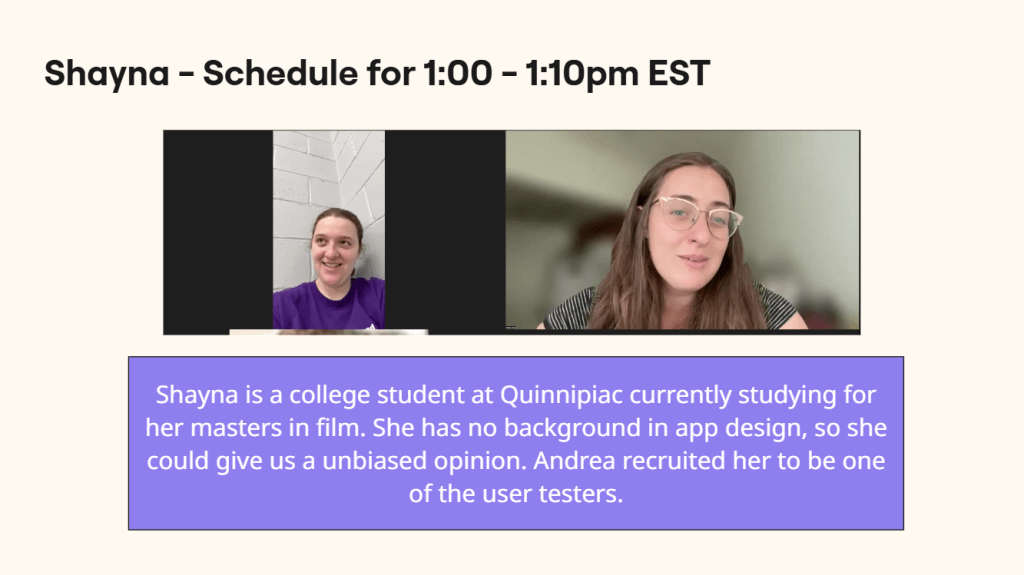
Phase 4 and 5: The goal of Phase 4 and 5 is to assess whether the solutions that were tried in the Sprint are valid or not. This is where essential qualitative and quantitative data is gathered from potential users of the product or service being created in the Sprint. We had to recruit 3-5 people to interview for user studies, schedule and conduct said user studies, and collect and organize the data to see the best way to develop the product. These user tests are interviews that ranged from 5-10 minutes per participant, in which they were all asked the same set of questions. We could not interview someone that we knew, it had to be fresh faces with whom we have never seen before.
The problem statement of our design sprint was to create an educational, finance mobile app that caters to Gen Z. Coming from Gen Z myself, I know how addictive smartphones and other technology can be! So in order to not only lean into the informative side of the app as well as the fun, interactive side evenly, we emphasized the use of the games section and the video feeds/chat rooms sections to maximize the chance of Gen Z using PennyPal consistently. The kids and young adults will get plenty of learning in through the use of tutorial videos, 1-on-1 bot chat rooms, and connecting with friends while also being rewarded by playing the various games and points they can earn. They can use those points for real-life gift cards and other monetary items in however way they see fit.
Sprint Activities
Lightning Demos: All team members share their notes and apps that they used for influence. Team members can place their notes on post-its and take screenshots of the apps that caught their eye.
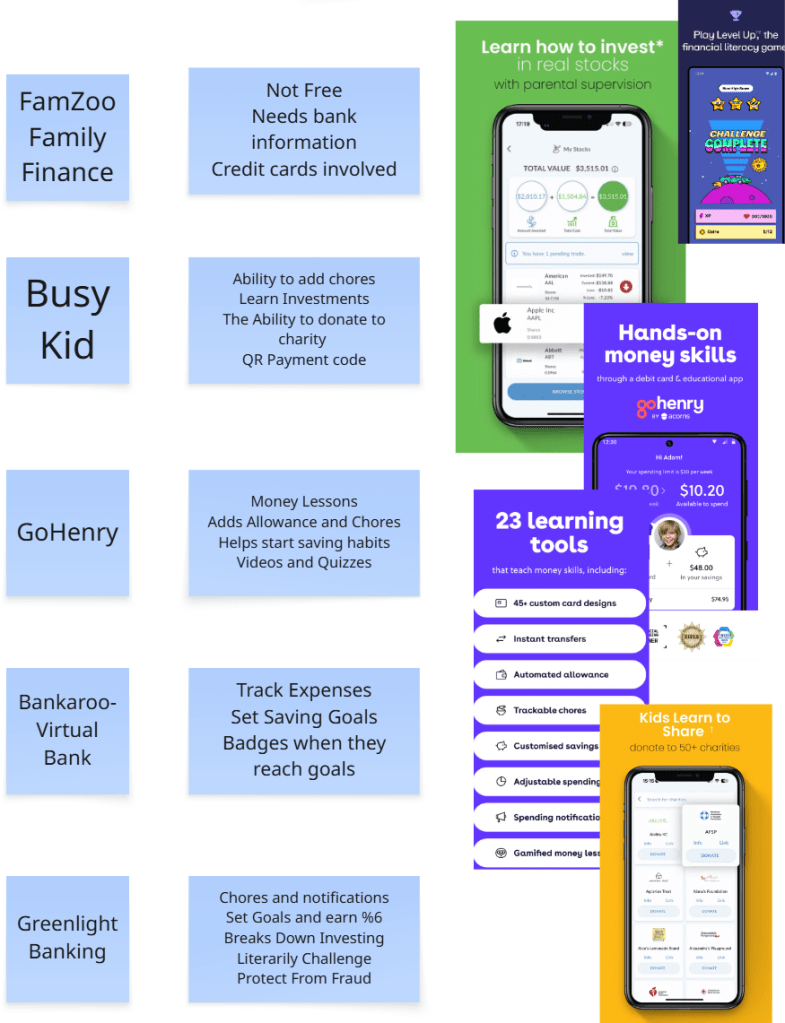
4-Step-Sketch: Ideas and solutions are produced. Team members jot down ideas, then proceed to draw and sketch solutions step by step. It promotes the sharing of ideas from individuals of all skill levels and aids in picturing possible answers.
Heat Mapping: Team members place color coded dots on everyone’s features to determine what they like and dislike for the prototype.
User Flow: Everyone creates a line of six post-it notes that depict how a user would go about navigating through the prototype. Team members vote on the most logical one.
Storyboarding: Combines both the chosen user flow and the most popular sketches from the previous exercise to show how the prototype will end up looking like.

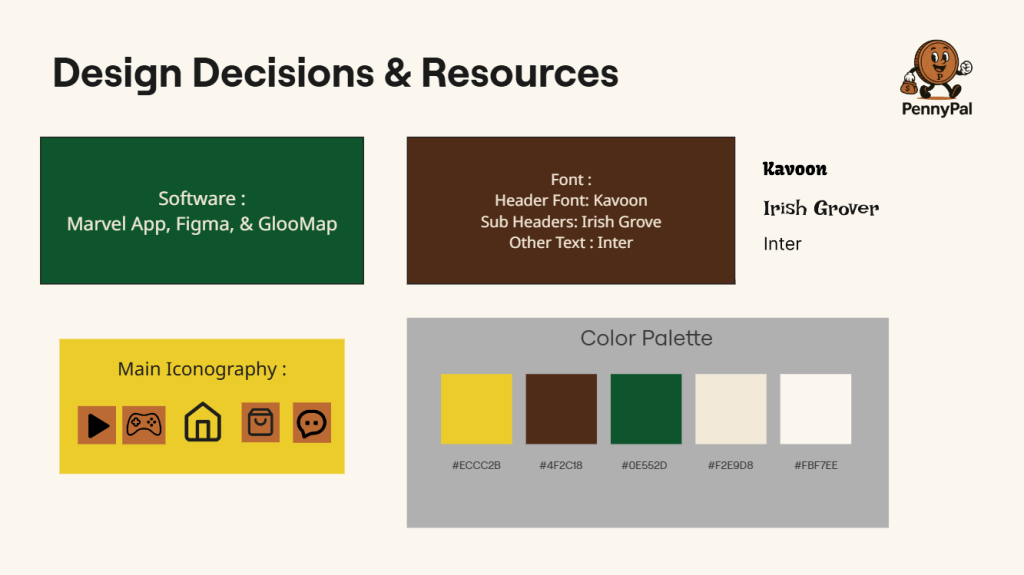
Prototyping: The Blue Team crafted the first prototype of PennyPal using a handful of software. We selected the font, iconography, and color palette carefully to make sure our app makes a strong first impression on our user test participants.
Testing: Blue Team members Chloe and Andrea facilitated the user testing interviews, asking the same questions to each person as they explored PennyPal.
Conclusion
All in all, my first design sprint was a complete success. The Blue Teams communication was on point for the entire course and we all worked hard to formulate the best prototype that we possibly could. We found from our user tests that PennyPal will an exponential growth rate if it sticks to the Daily Trivia and Goal Tracker features. We also found that its chat rooms need more of an entertainment sheen to them as well as upgrading the color palette and incorporating the PennyPal mascot more. After all the incredible work the Team Blue accomplished with this prototype and design sprint, I have no doubt that PennyPal will be a staple in the finance and mobile app worlds respectively for many years to come! Countless young adults from Gen Z and many more fresh faces from the generations after us will arm themselves with financial knowledge and confidence in order to not only survive in this unforgiving world where money makes everything go around, but thrive in it as well!
 UX Journey
Leave a comment